Support Widget
Guidelines on what can be done via the support widget.
Last updated 2 months ago
Log in to your BI Book Environment to have a access to BI Book support Widget.
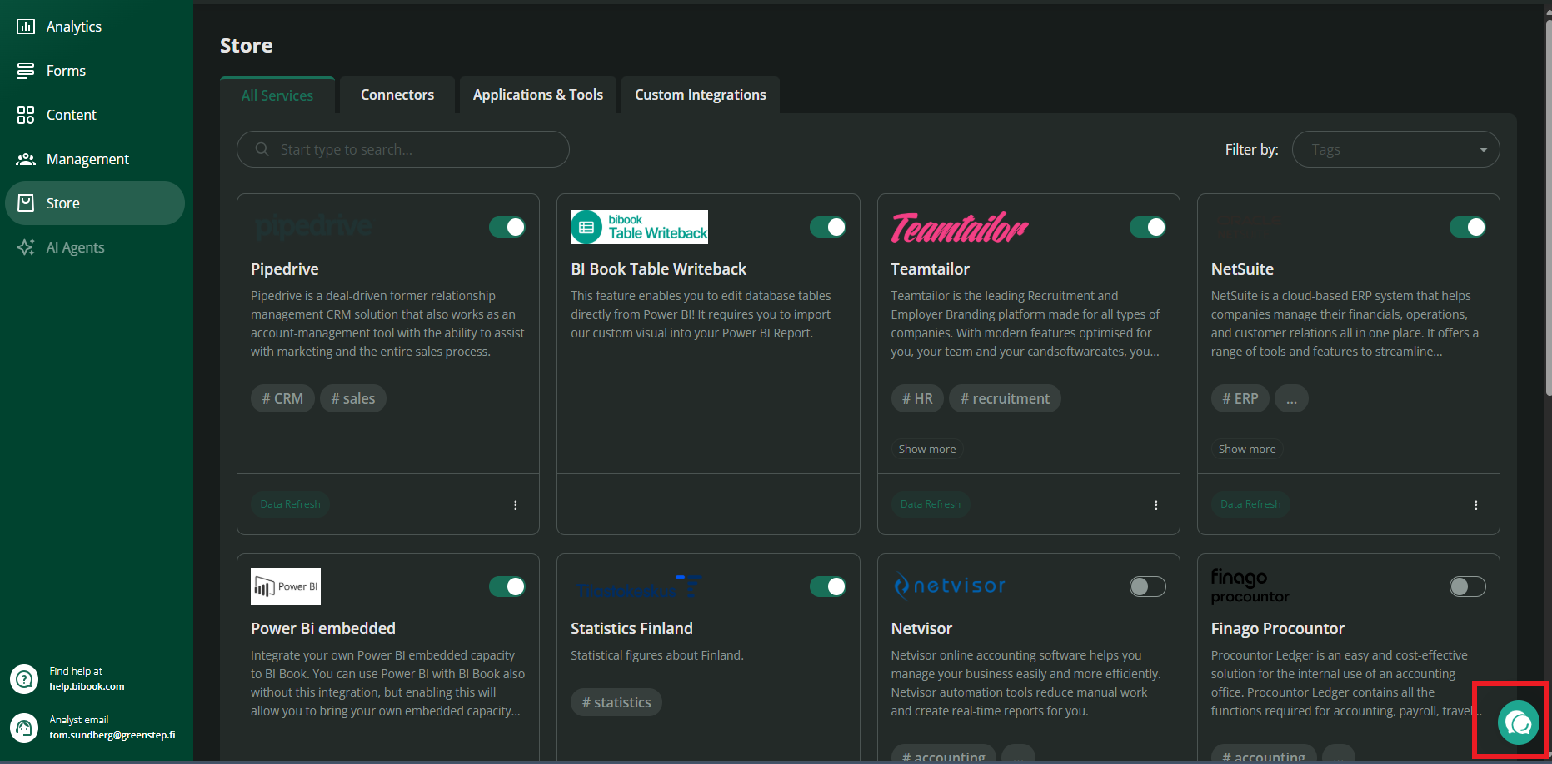
Step 1. Support widget can be found in the bottom right corner of the page, click it.
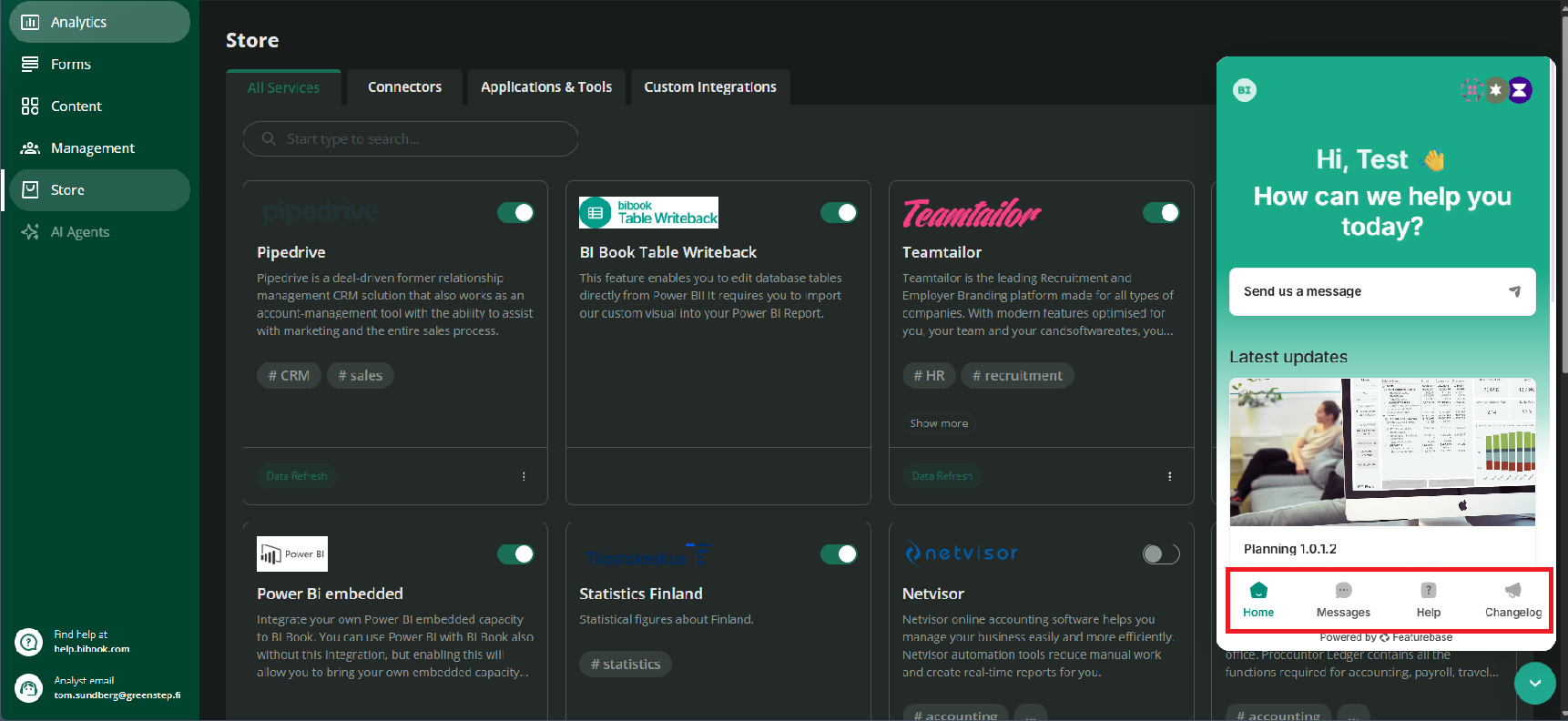
Step 2. When you open the widget, the window appears in the bottom-left corner. The widget consists of four sections;
1. Home
In the Home section, you can quickly start a conversation with the chatbot or read about the latest BI Book updates.
2. Messages
In the Messages section, you can ask questions about BI Book functionalities and features, as well as seek solutions related to your specific needs or issues.
The chatbot will do its best to answer your questions and provide guidance. If further assistance is needed, you can also connect with BI Book Support directly through the widget. Our Support team can join the conversation and assist you with more complex questions or issues when necessary.
3. Help
In the Help section, you can browse and read ready-made guides and articles available on the BI Book Help Center.
Here, you can find instructions and helpful information about various BI Book functionalities and features, as well as guidance on how to use them.
4. Changelog
In the Changelog section, you can find articles about the latest BI Book updates and improvements. You can read the articles to stay up to date with the newest changes and developments in BI Book.
BI Book Help Center
For more detailed information, guides, and instructions on BI Book functionalities and features, visit the BI Book Help Center.
Was this helpful?
Still need help? Ask the team