Planning visual supported languages
This page describes how to change the user interface language in Planning Visual.
Last updated 4 months ago
From package version 1.0.1.1 onwards, BI Book Planning supports the following languages: English, Finnish, and Swedish.
To change the Planning UI language, you must have edit rights on the report:
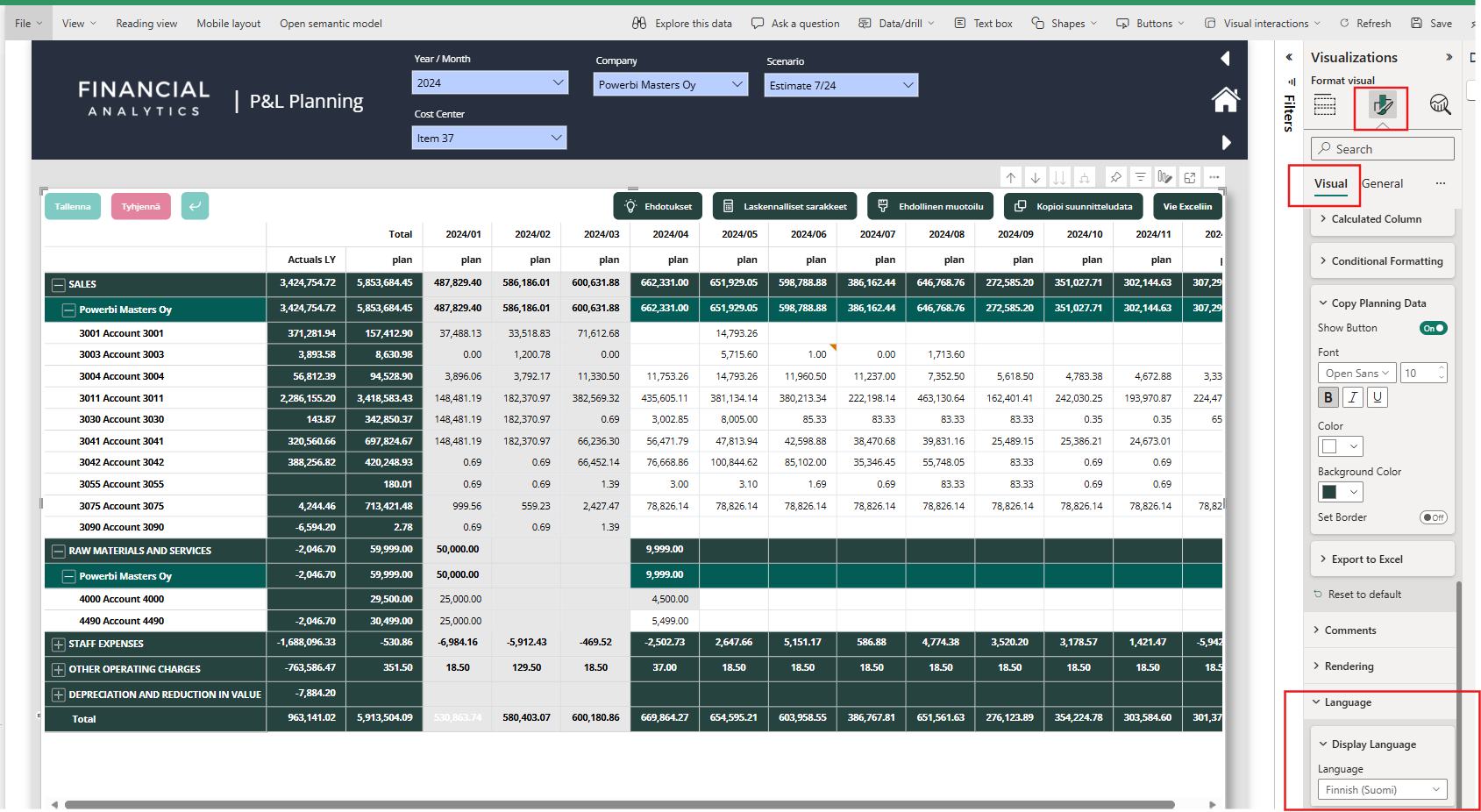
Open the report in Edit mode
Click on the Planning visual to display its settings in the right sidebar
Navigate to Format visual → Visual → Languages
Supported options
✅ Auto (report language) – default
The visual uses the report’s display language. When you change the BI Book report language, the Planning UI language changes accordingly, provided translations are available for that language.✅ English
The Planning UI remains in English regardless of the report display language.✅ Finnish
The Planning UI remains in Finnish regardless of the report display language.✅ Swedish
The Planning UI remains in Swedish regardless of the report display language.
Remember to save your changes.
Was this helpful?
Still need help? Ask the team