How to activate Statistics Denmark integration
Last updated 8 months ago
How to connect to Statistics Denmark data via BI Book
You need to have a BI Book account to be able to connect your Statistics Denmark data to BI Book.
Please refer to How to set up a BI Book environment if you do do not have a BI Book account.
If you already have a BI Book environment, please navigate to BI Book Store > find Statistics Denmark > press Connect Service.
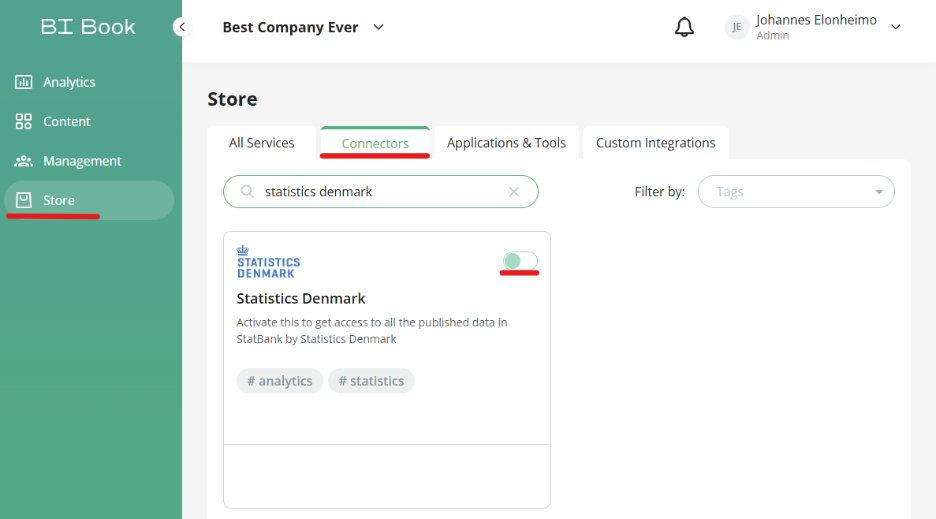
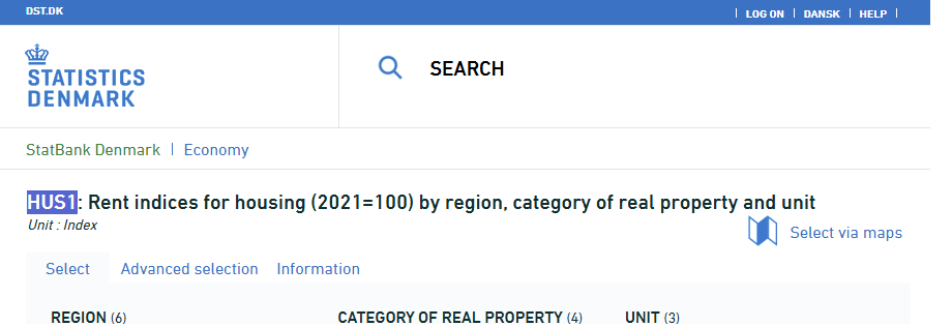
The integration will ask for you to input table id’s that you want to have from StatBank Denmark. Provide a comma separated lists of table ids, you need from StatBank Denmark. You can find the tables and their respective id’s from https://www.statbank.dk/statbank5a
Id is in the header eg. HUS1
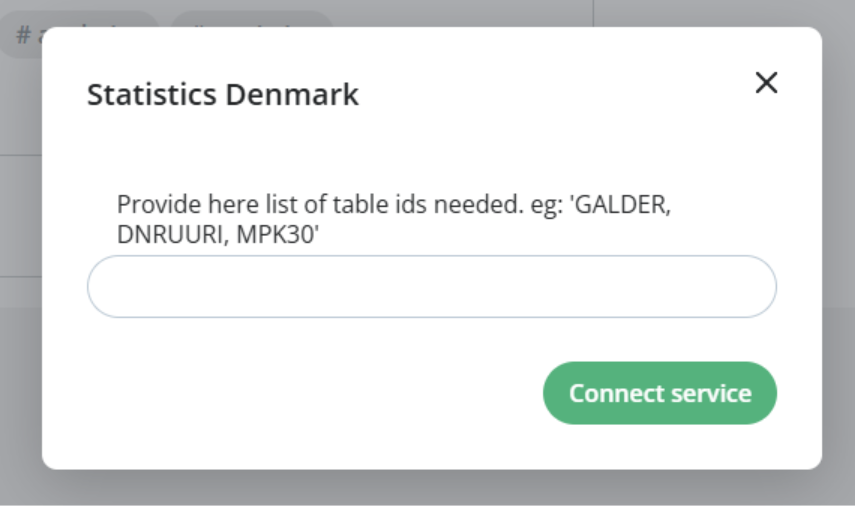
When you have inputted table id’s you want - press connect service.
Data will be now retrieved from StatBank to your BI Book environment. It may be instant or take up to 5 business days that data for requested tables will be available.
Do not try to reactive. Our end will inform you that did activation go through with correct table id’s
Was this helpful?
Still need help? Ask the team