Planning layouts
This article describes table layouts available in BI Book Planning
Last updated 3 months ago
Intro
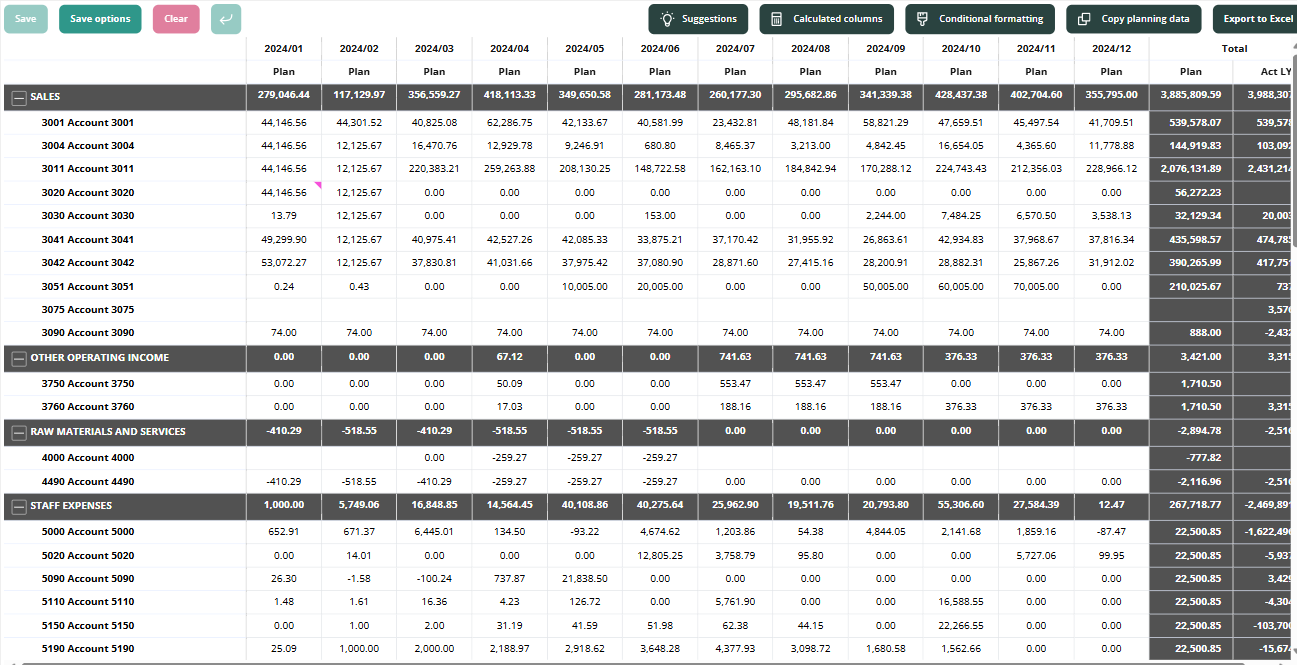
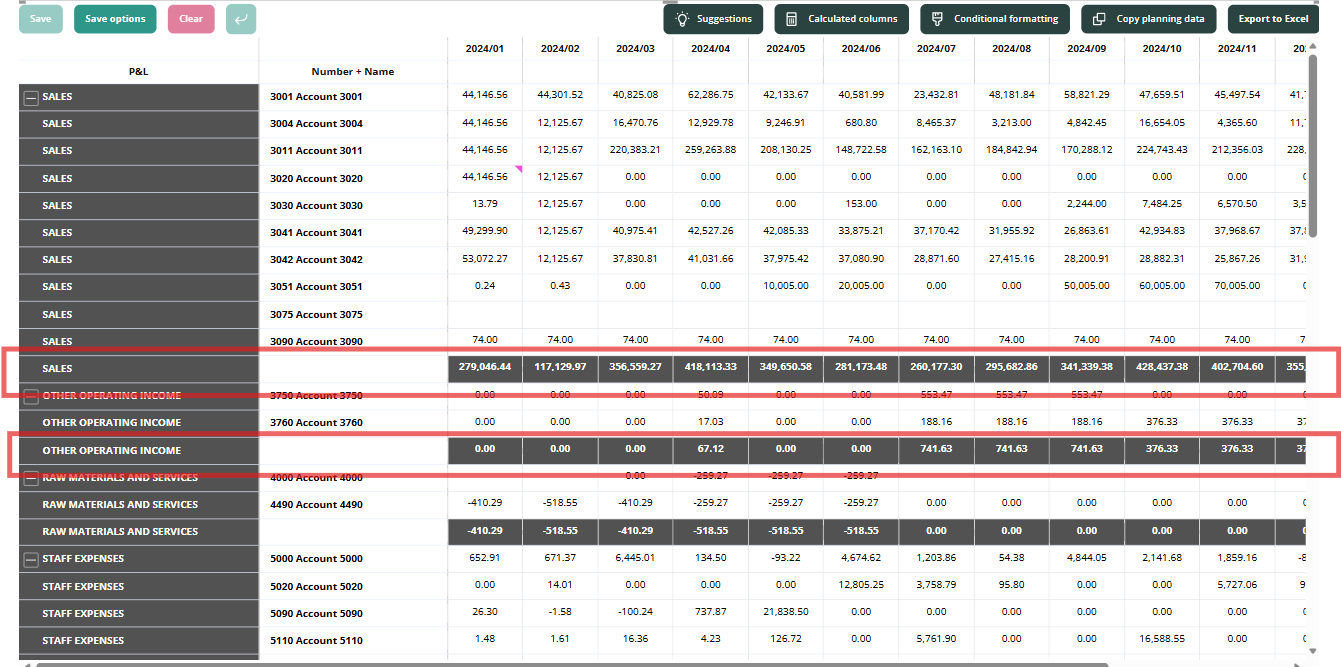
Starting with Planning v1.0.1.2, in addition to the classic Matrix layout, Planning now also supports a Tabular layout.
Matrix layout:
Tabular layout:

How to set a layout
If you would like to switch to tabular layout, in “Format your visual” locate “Layout” setting and choose one of the available options in the dropdown.

Additionally, you can choose whether to apply the following settings when “Tabular” layout is selected:
“Repeat the row headers”. When enabled:

“Show subtotal rows”. When enabled:
Was this helpful?
Still need help? Ask the team