How to activate Statistics Norway integration
Last updated 7 months ago
How to connect to Statistics Norway data via BI Book
You need to have a BI Book account to be able to connect your Statistics Norway data to BI Book.
Please refer to How to set up a BI Book environment if you do do not have a BI Book account.
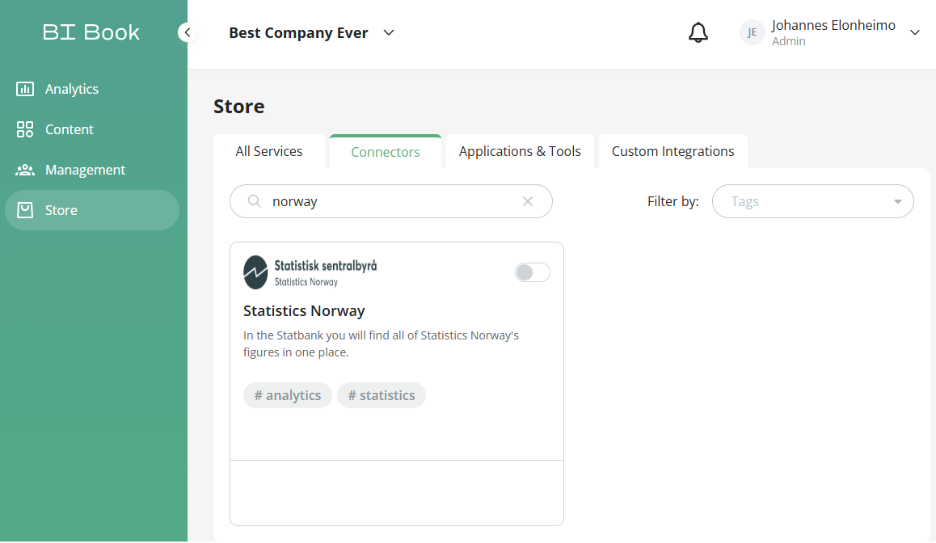
If you already have a BI Book environment, please navigate to BI Book Store > find Statistics Norway > press Connect Service.
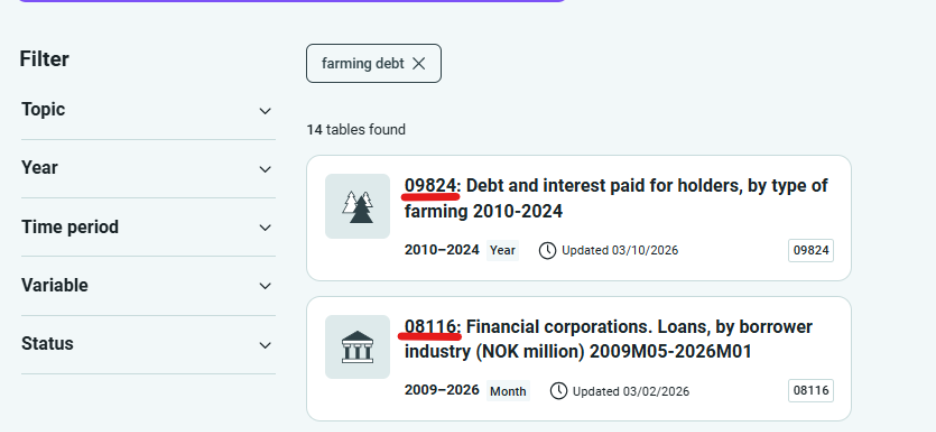
The integration will ask for you to input table id’s that you want to have from StatBank Norway. Provide a comma separated lists of table ids, you need from StatBank Norway . You can find the tables and their respective id’s from https://www.ssb.no/
Id is in the header eg. 09824, 08116
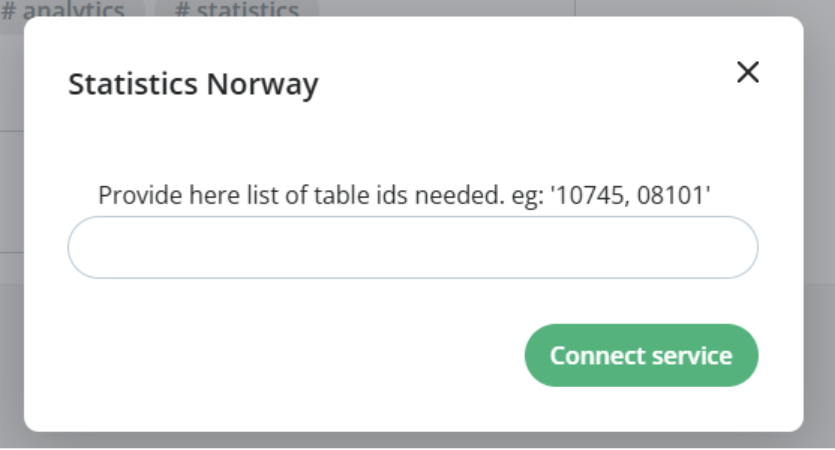
When you have inputted table id’s you want - press connect service.
Data will be now retrieved from StatBank to your BI Book environment. It may be instant or take up to 5 business days that data for requested tables will be available.
Do not try to reactive. Our end will inform you that did activation go through with correct table id’s
Was this helpful?
Still need help? Ask the team