Customizing Table Writeback visual
Last updated 3 months ago
These settings are in the Power BI format pane and are typically managed by the report author.
Table Setting card
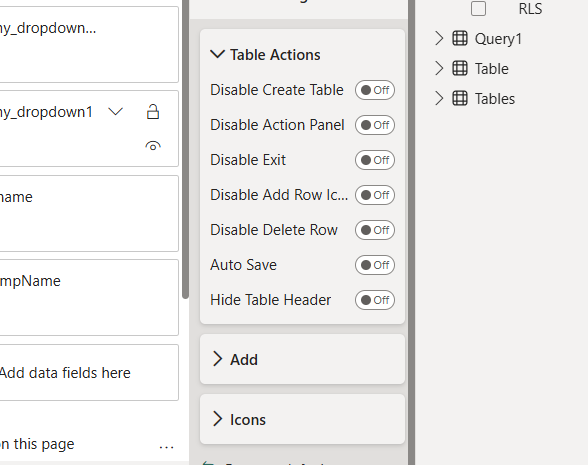
Table Actions group (all OFF by default):
Add group (all ON by default): show or hide each item of the Add menu individually:
Add Column
Add Row
Manage Calculated Column
Add Row From Dropdown
Add Row From Template
Icons group (all ON by default): show or hide each toolbar icon individually:
Add Icon
Undo Icon
Save Icon
Refresh Icon
Save Template Icon
Filter Icon
Visible Icon
Writeback Icon
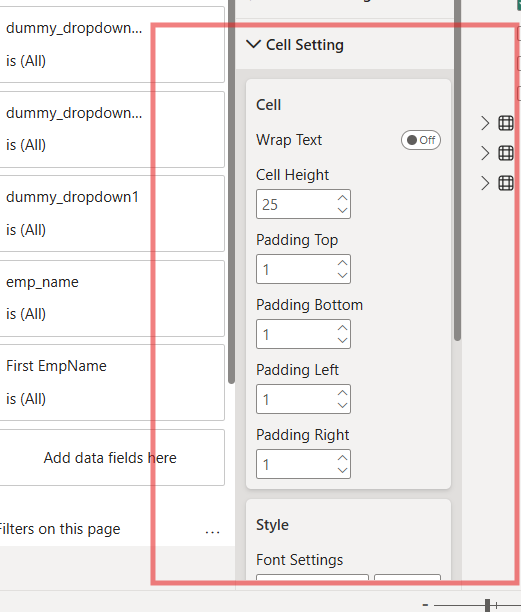
Cell Setting card
Column Setting card
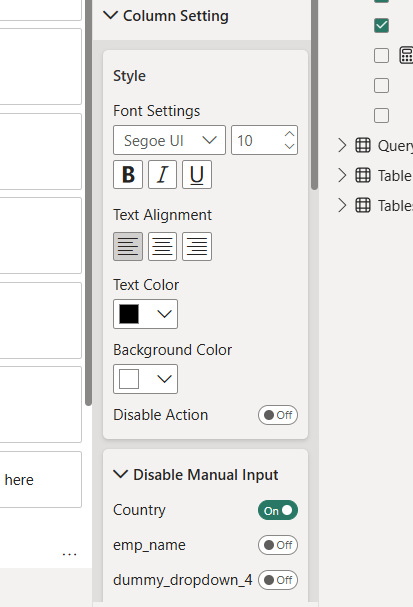
Disable Manual Input group: one toggle per field placed in the Dropdown field. When on, that dropdown column only accepts values from the list; users cannot type their own.
API Setting card
Was this helpful?
Still need help? Ask the team