Changing your user name
Last updated About 2 months ago
Changing your user name
Step 1. Log in to BI Book as a user with admin rights.
Step 2. Navigate to top right corner, where your user name is written. Click it → Dropdown appears.
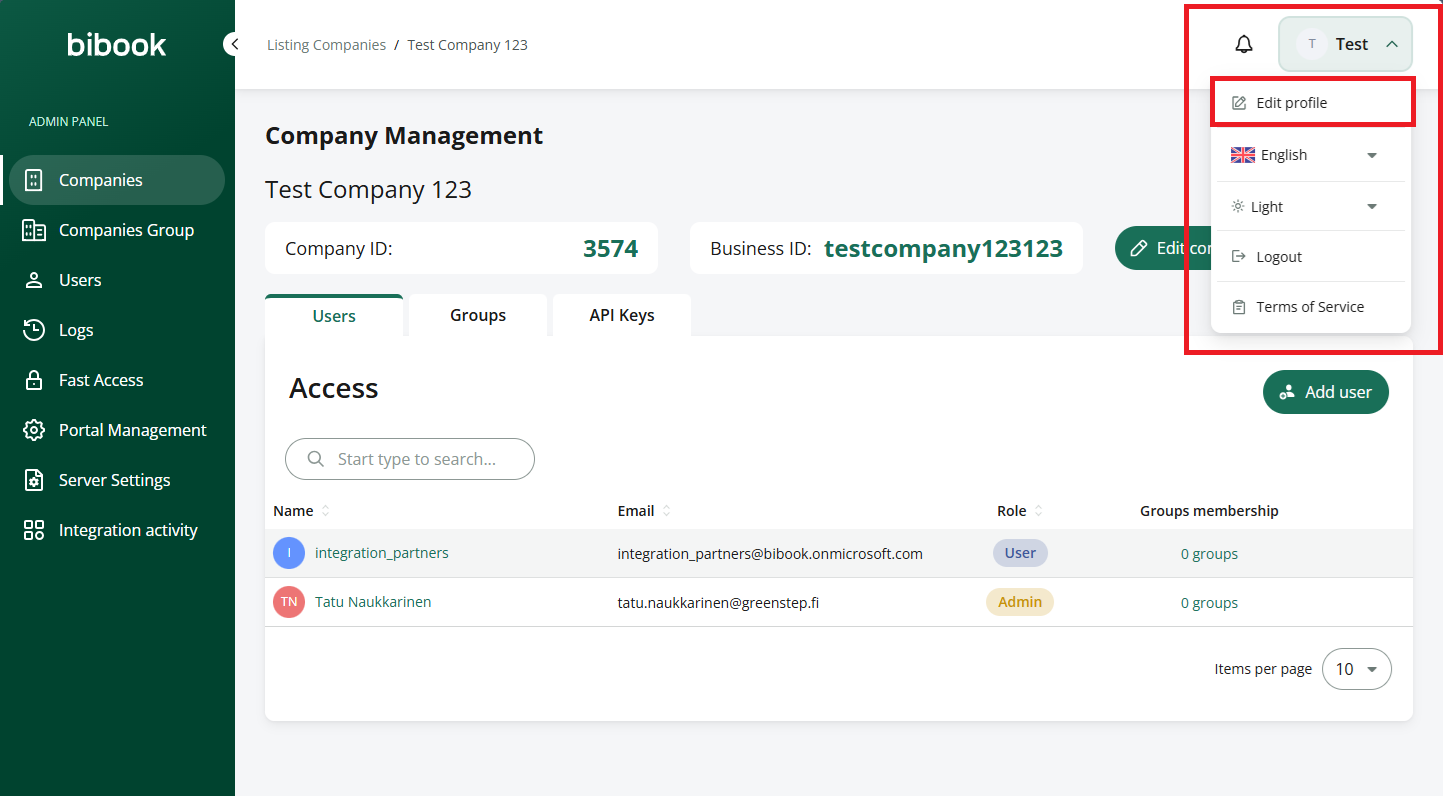
Step 3. Press “Edit profile”
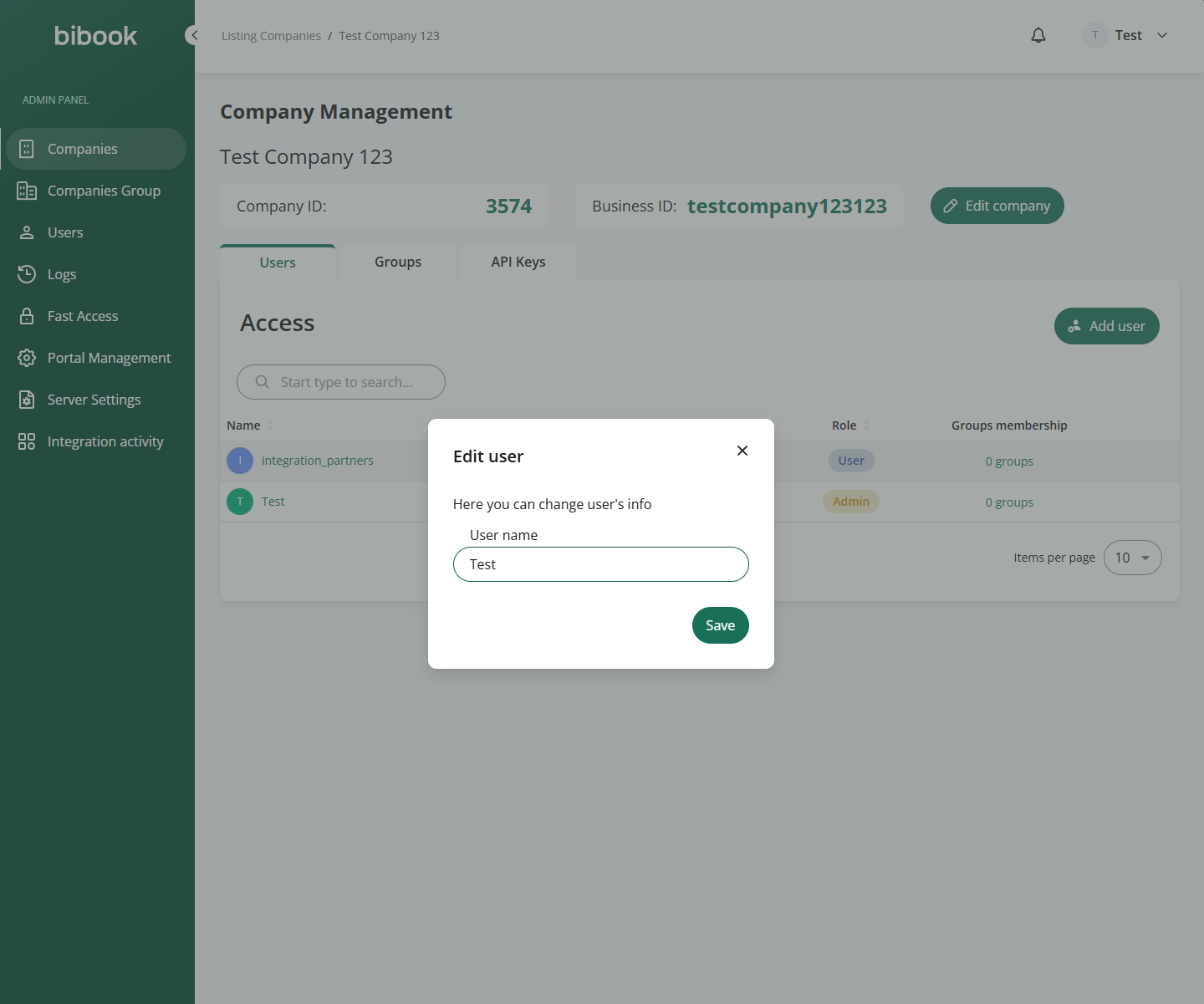
Step 4. Change the name and save it.
Was this helpful?
Still need help? Ask the team